Many clinicians take quick notes by hand during sessions. Now, you can turn those notes into complete notes in seconds. With this new feature, you can upload a photo of your handwritten notes or a file, and we’ll convert it into clean, editable text that you can use to generate your note. ͏ ͏ ͏ ͏ ͏ ͏ ͏ ͏ ͏ ͏ ͏ ͏ ͏ ͏ ͏ ͏ ͏ ͏ ͏ ͏ ͏ ͏ ͏ ͏ ͏ ͏ ͏ ͏ ͏ ͏ ͏ ͏ ͏ ͏ ͏ ͏ ͏ ͏ ͏ ͏ ͏ ͏ ͏ ͏ ͏ ͏ ͏ ͏ ͏ ͏
Hi there,
Many clinicians take quick notes by hand during sessions. Now, you can turn those notes into complete notes in seconds.
With this new feature, you can upload a photo of your handwritten notes or a file, and we’ll convert it into clean, editable text that you can use to generate your note.
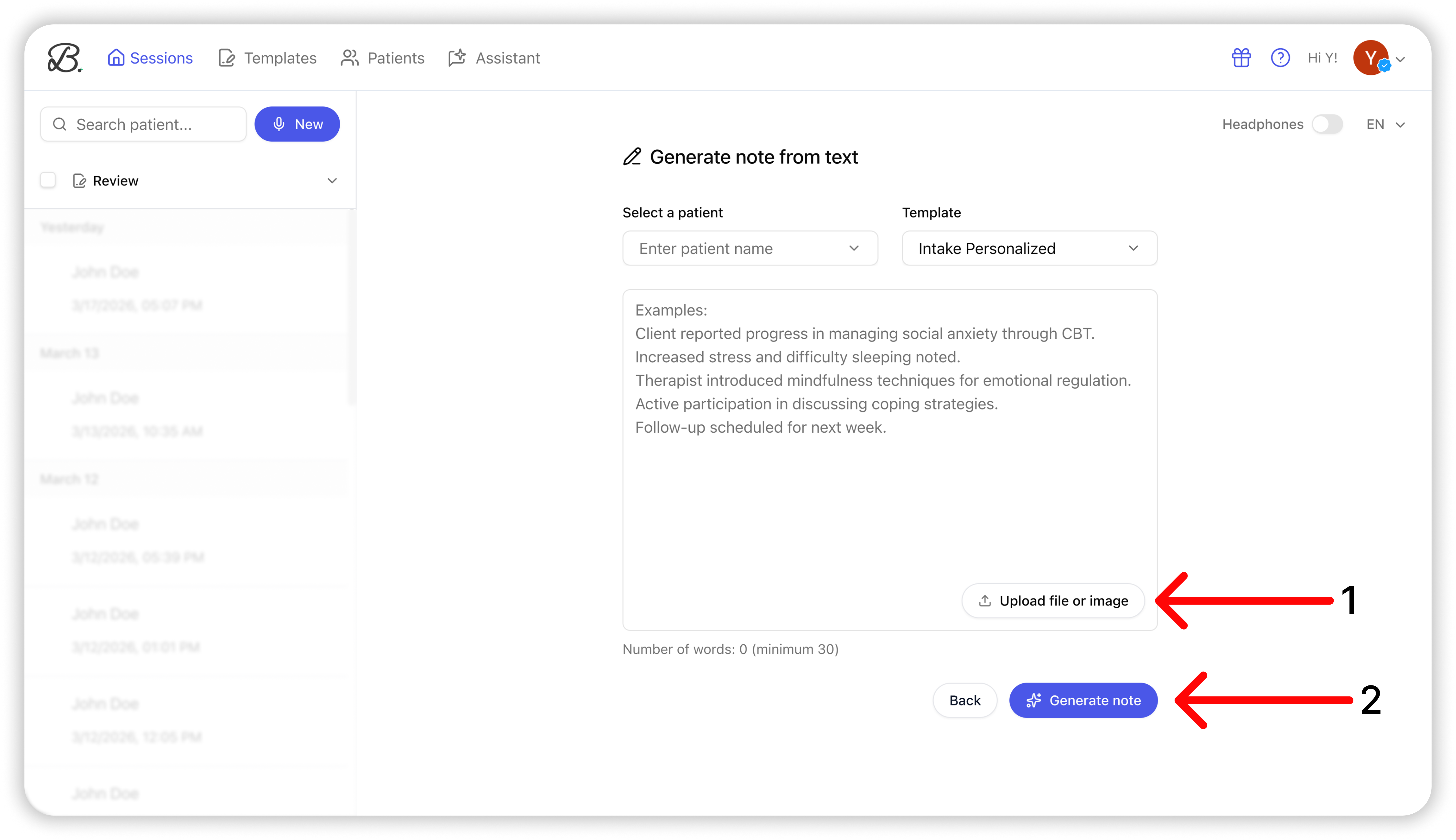
This feature lives inside the Generate from Text feature, and works in just a few steps: -
Upload a photo of your handwritten notes or a file
- Review and edit the extracted text
- Generate your note as usual
It’s a simple way to bring your offline notes into Berries and keep everything in one place. |
This also adds to the different ways you can create notes in Berries: - Live session recording
- Summary dictation
-
Generate from text
- Audio upload
- And now, handwritten notes
You can learn how to use it step by step in this Help Center article. If you have any questions or feedback, you can reply to this email. We’re honored to support your important work. Best regards,
Tal |
|
|
Berries | AI scribe for mental health professionals |
The email was sent to help@heyberries.com. To no longer receive these emails, unsubscribe here. |
|
|
|